Data coverage
In progress
Last updated
Data coverage shows how much of your brand BOS holds and what is still missing. The fuller it is, the better your agents answer.
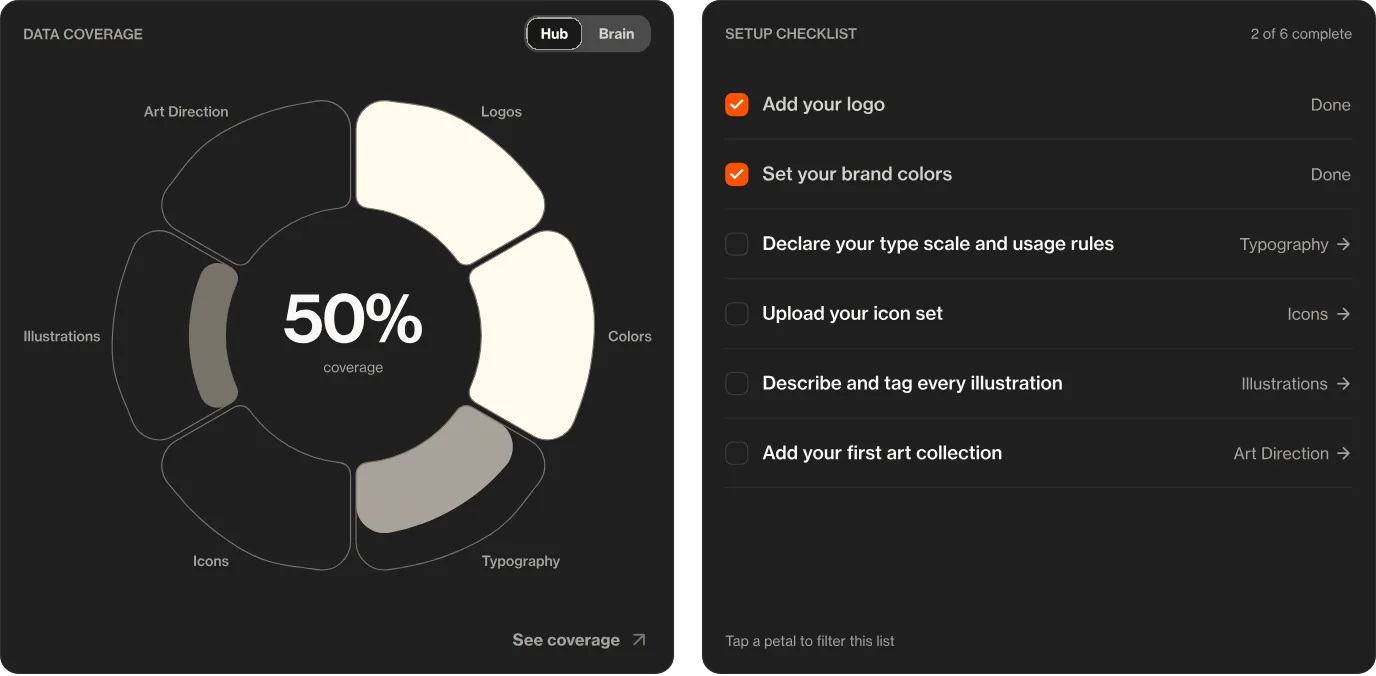
Where you see it
| Place | What it shows |
|---|---|
| Brand Home | The data coverage widget, with the setup checklist beside it. |
| Brand Hub | Each dimension shows what is in and what is missing. |
| Brand Brain | A coverage score for your documents, with recommendations for the gaps. |
What it counts
Coverage looks across the three places your brand lives.
| Area | What counts |
|---|---|
| Brand Hub | The six dimensions: logos, colors, typography, icons, illustrations and art direction. |
| Brand Brain | Your strategy, identity and voice documents. |
| Assets | Descriptions, tags and usage rights on your files. |
Fill the gaps
Ask your agent what is missing, or work through the checklist.
Prompt
What is still missing from our brand in BOS? List it by Brand Hub, Brand Brain and Assets, and tell me what to add first.
| With your agent | What happens |
|---|---|
| Read coverage | Ask what is missing, by area. |
| Run a scan | Ask for a fresh scan after you add things. |
| Skip an item | Say an item does not apply. It stops counting as a gap. |
Where to go next
Was this page helpful?
Tell us what's missing or unclear: hello@opensession.co