Brand checklist
Last updated
Get your brand ready for people and AI tools. Bring in what you have, then use data coverage to fill the gaps.
Bring your brand in
Choose a command in your connected tool. If you’re importing files or a website, your agent shows you a plan to approve.
Start from your files
Your agent asks where you keep your files, prepares an import plan and completes the upload once you confirm it.
Command
/brand-onboard-dataStart from your website
Give your agent a website. It reads the pages and extracts the brand assets and writing it finds.
Command
/brand-onboard-webGet to know your brand
Ask your agent to introduce your brand using the kit in BOS. Follow up with a question or ask for an asset, such as your logos.
Command
/brand-onboard-meCheck your data coverage
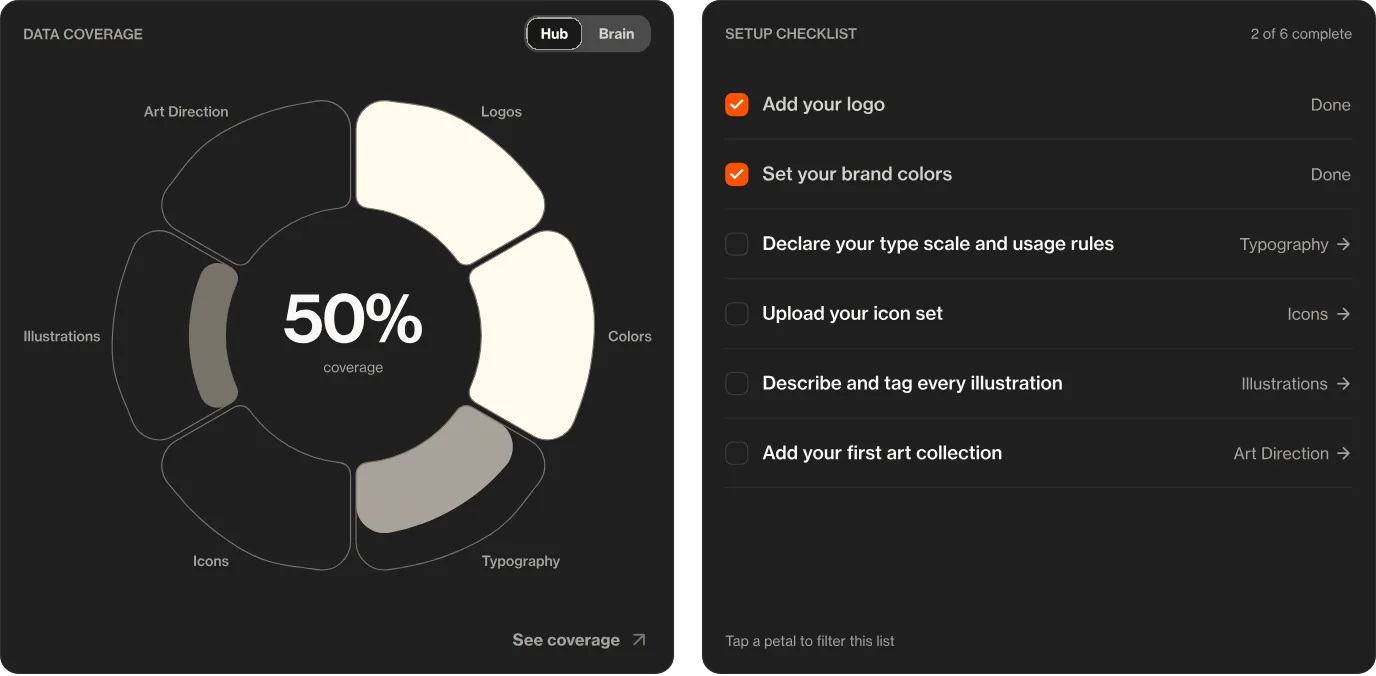
Once your brand is in, data coverage shows what’s there and what’s missing: a logo with no description, files nobody can find, assets with no owner.
Or ask in Claude
“What’s missing from our brand data?”
Answers from data coverage
Fill the gaps
Clean brand data reads well for a person browsing and for an AI tool looking something up. Start with what your team uses most.
Descriptions
One or two plain sentences on what it is and when to use it.
Tags
The words people search with: campaign, product, channel, season.
Ownership
Who looks after it, so questions reach the right person.
Usage rights
Where it can be used, by whom and until when.
Run coverage again when you’re done. The score goes up as the gaps close.
Your checklist
- Logos, colors and typography show in Brand HubBrand Hub
- Your guidelines and documents are in Brand BrainBrand Brain
- Your main assets have a description, tags and an ownerAssets
- Licensed assets have their usage rightsAssets
- Claude or ChatGPT is connectedYour AI tool
- Your website or your data sources are brought inYour AI tool
- Data coverage
Data coverage shows no gaps you haven’t chosen to skip
Where to go next
Was this page helpful?
Tell us what's missing or unclear: hello@opensession.co