Brand search
Last updated
Find logos, colors, type and art direction in Claude or ChatGPT.
No one ever has to ask “Where are the logos, colors, typography and art direction?” ever again in Claude or ChatGPT.
The example
Made for AVOIL, a sample brand.
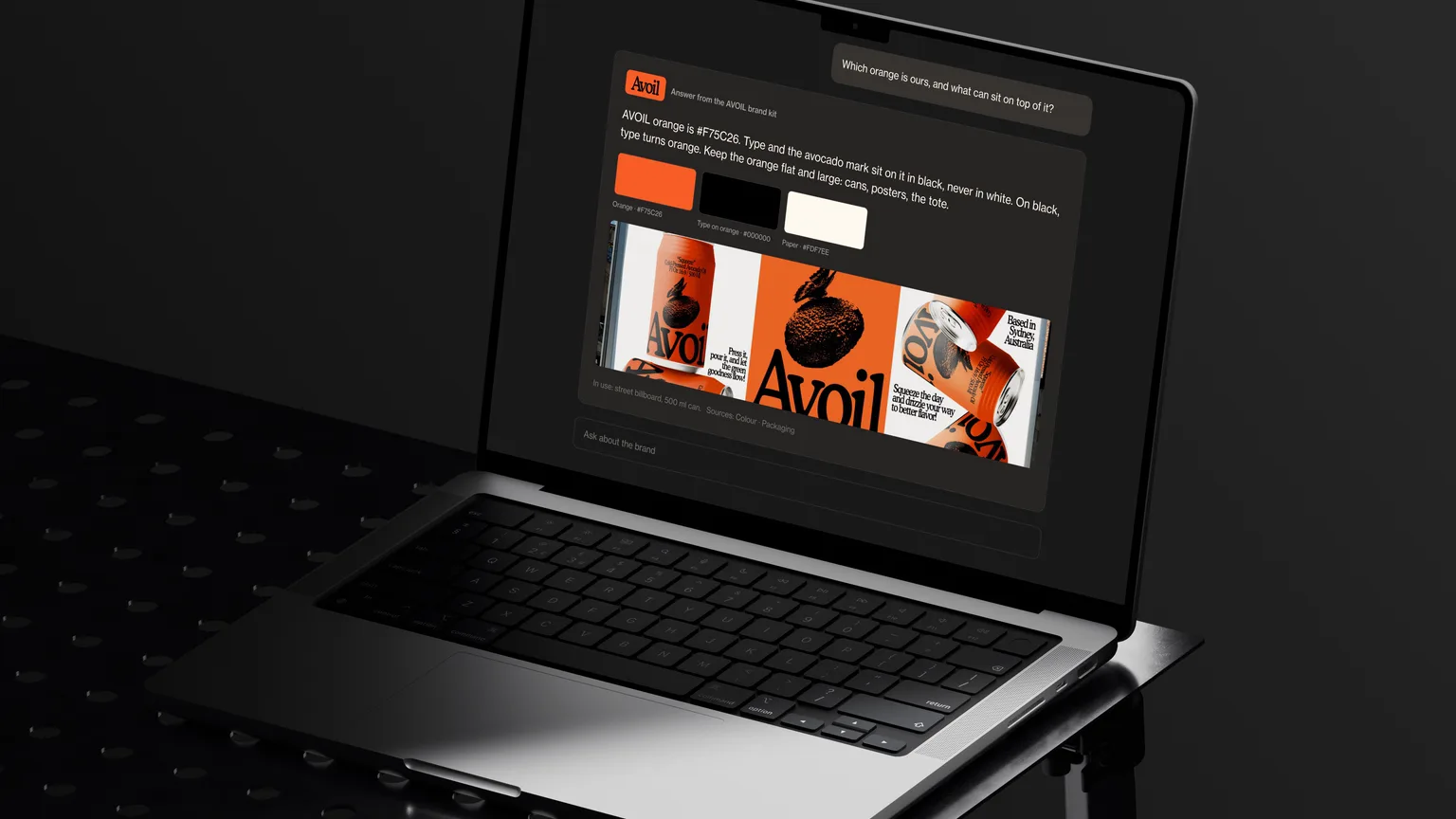
 01 · hero
 02 · tee
 03 · tote
What you need
- An agent connected to BOS through MCP.
- Your brand in BOS: Brand Hub, Brand Brain and Assets filled in.
- Claude
Run it with your agent
Once connected, give your agent this prompt:
Prompt
Can our logo sit on a photo? Answer from our guidelines in BOS, quote the rule, and link to where it lives.
Or run the command:
Command
Replace the details in brackets with your own.
How it works
Ask in Claude
Any question. “Can the logo sit on a photo?”
Search the brand
BOS searches your guidelines, not the internet.
Narrow it down
If it depends, Claude asks which product or market.
Find the rule
The exact rule, its page and who owns it.
Answer and source
A short answer and a link to the rule behind it.
BOS supplies the brand. Your agent does the work in the tools you already use. AVOIL is a sample brand, not a customer.
On bos.live: Brand search with BOS
Was this page helpful?
Tell us what's missing or unclear: hello@opensession.co